
Advanced Reporting
Learn how to access Advanced Reporting and understand the difference between dashboards and reports.
In This Guide You'll Learn
- How to access the Advanced Reporting area from the site menu
- What Advanced Reporting is and when it is used
- The difference between Dashboards and Reports
Advanced Reporting includes more specialized reports designed to support specific business needs.
Not all advanced reports are available to every organization by default. They are enabled based on business needs, configuration, or specific requests.
How to Access Advanced Reporting
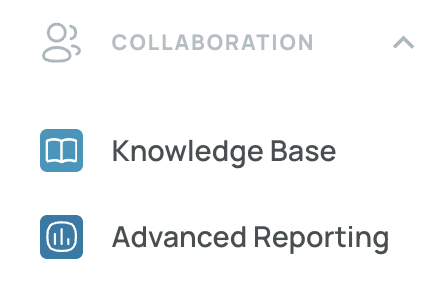
- From the Site Menu, select Collaboration.
- Click Advanced Reporting.
What Is Advanced Reporting
Advanced Reporting provides more specialized reporting options for business cases that require more specific data analysis and visibility.
Depending on your organization's setup, you may see one or both of the following reporting types:
- Dashboard
- Report
Dashboards vs Reports
Advanced Reporting includes two main formats: Dashboards and Reports.
| Type | Description |
|---|---|
| Dashboard | Let's you interact with the data and view it dynamically. |
| Report | Lets you select a date range and review detailed information, but the data view is not interactive. |
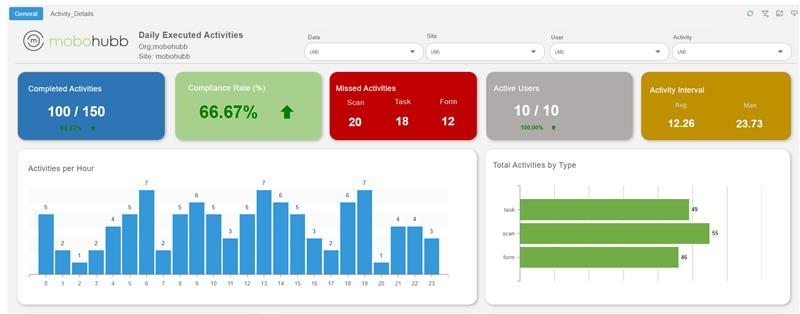
Dashboard
Dashboards allow you to interact with and explore data using different visual formats and presentations.
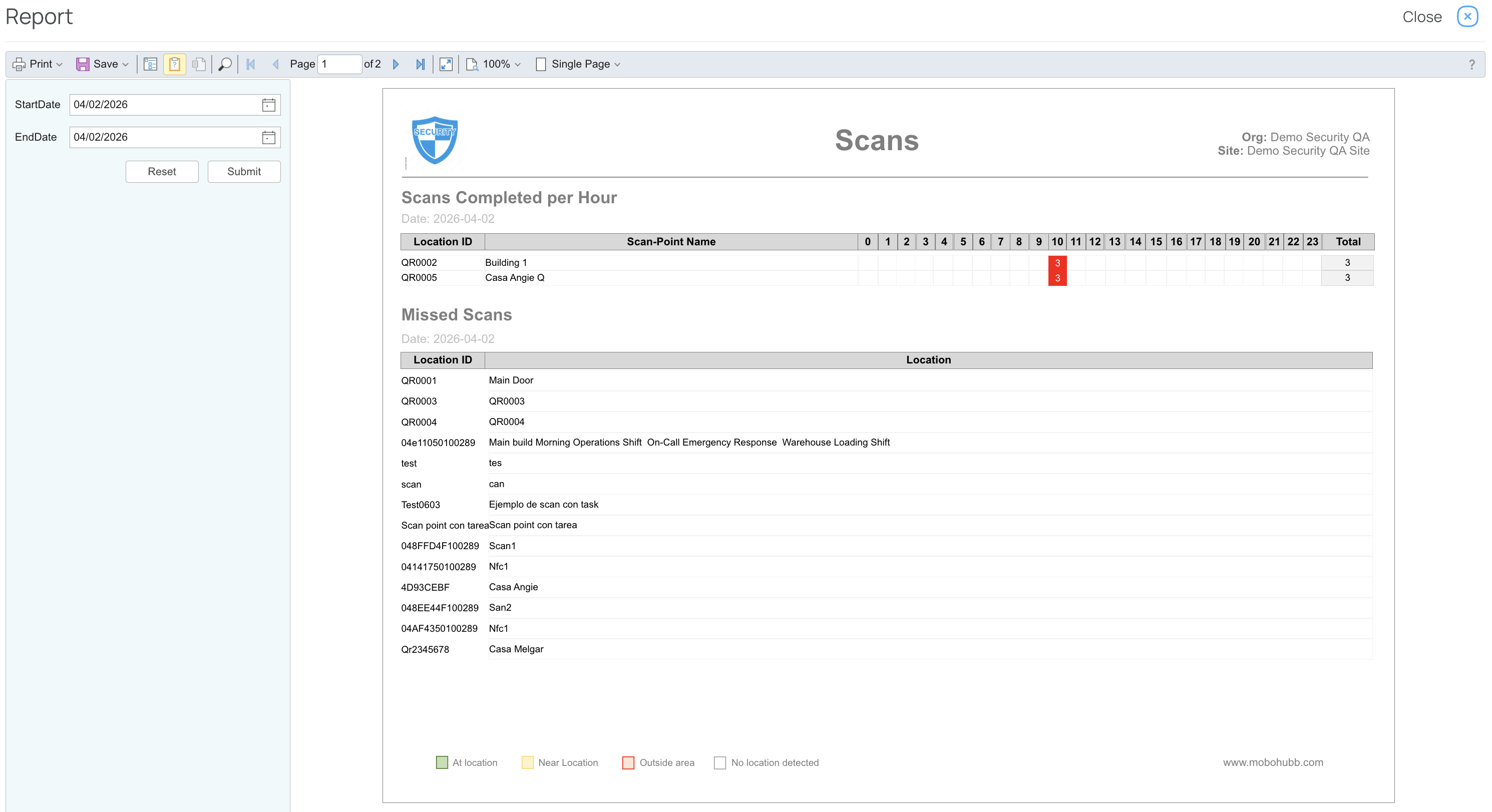
Report
Reports allow you to select a date range and review detailed information. They provide a more detailed data view, but they do not support direct interaction with the displayed data.
Updated 5 months ago